
Generate polished, presentation-ready slides in minutes — no design skills required.
LurnyDeck converts your Lurny into a professional, ready-to-use slide deck. Each learning stub is structured into clean, visually appealing slides, saving you hours of manual design. Perfect for workshops, classroom sessions, or presentations, LurnyDeck ensures your knowledge is not only captured but also communicated effectively. The generated slides can be downloaded, customized further, and reused across multiple learning contexts.
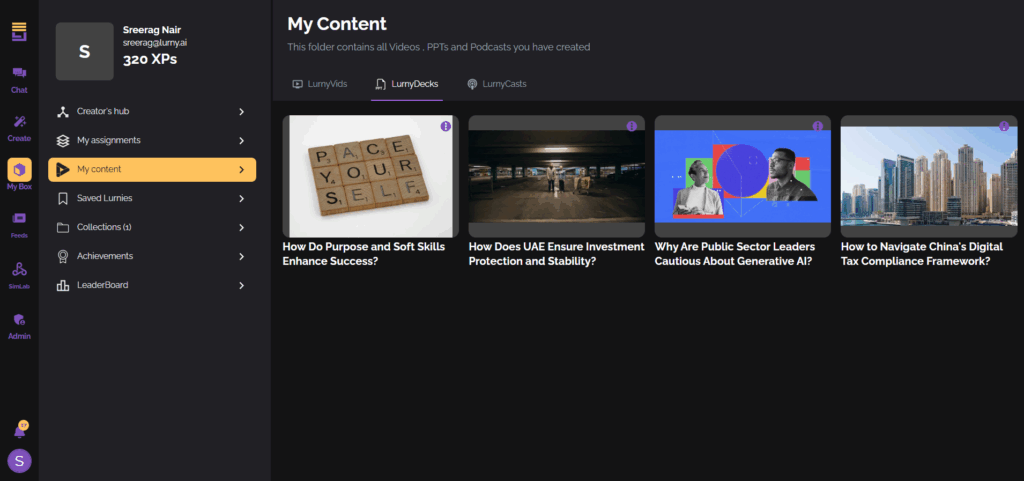
Select the PowerPoint Option
From your Lurny dashboard, open the microlesson you’d like to convert. Click on the “Convert to PowerPoint” option to start the process.

Customize Slide Content
Your Lurny content will be automatically structured into slides. Review the generated layout to ensure each learning stub is placed effectively.

Add Media Elements
Enhance your slides by selecting relevant images or videos to accompany your content. This makes the presentation more engaging and visually appealing.

Generate the Slide Deck
Once you’re satisfied with the content and visuals, click Generate PPT. The system will create a polished presentation with professional formatting.

Download and Share
After generation, download the PPT file directly to your desktop. You can use it as-is for workshops or presentations, or further edit it in PowerPoint to match your branding.